FPV Audio Recorder
Onboard FPV audio without an extra action camera. A tiny, battery-free recorder that saves audio while the quad is armed and shows up as a USB drive when you plug it in.
The real-flight result
The SD-free firmware v2 flew in the printed V7 case and retained a 110.18-second onboard recording with zero missing encoded frames. Recording followed Betaflight arm/disarm and used the flight controller’s clock.
An 87-second selected excerpt, stabilized and color-graded in GyroGrade, with the matching onboard recording. No music or gain adjustment.
Download the flight sample · Measurements and field-test report
Known issues: USB sometimes needs a recorder reset before the drive appears. Easy Eject does not yet support v2, and downloads remain pre-releases. See the field-test report for the post-flight USB candidate and remaining validation.
The build
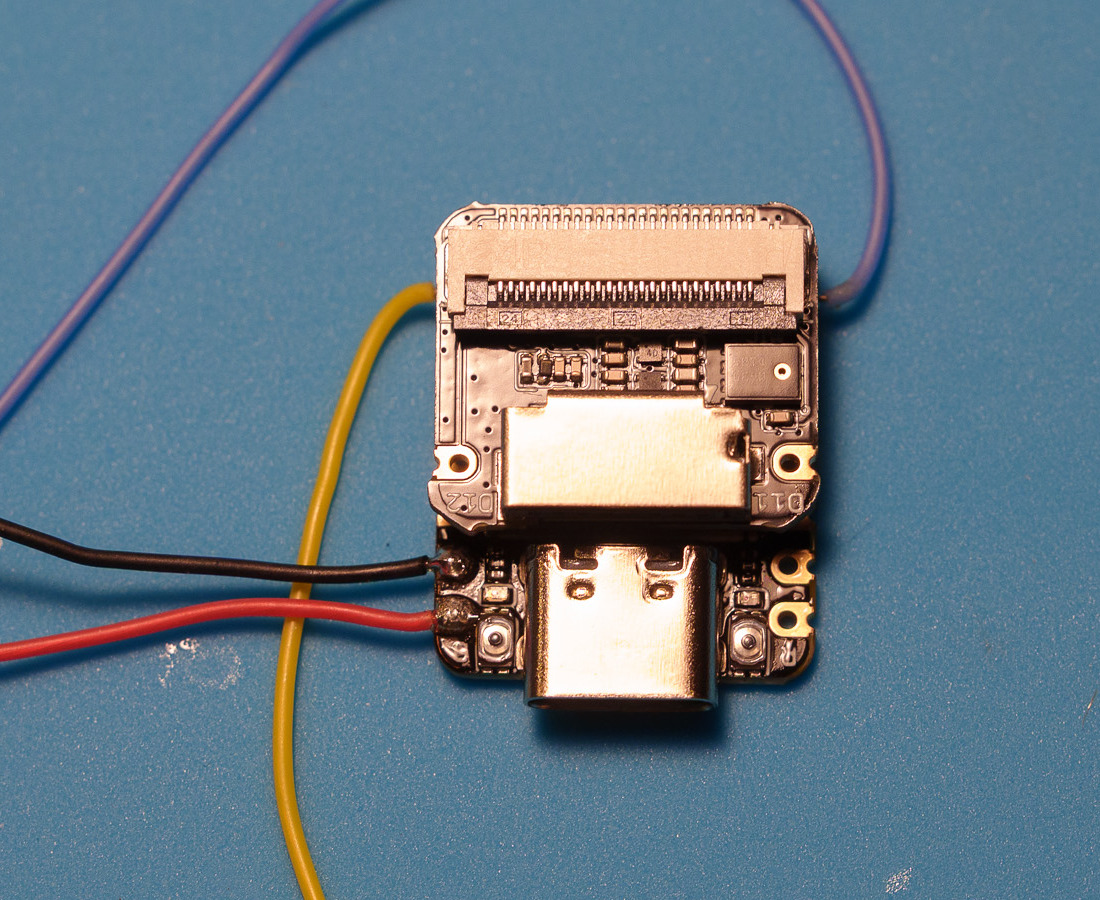
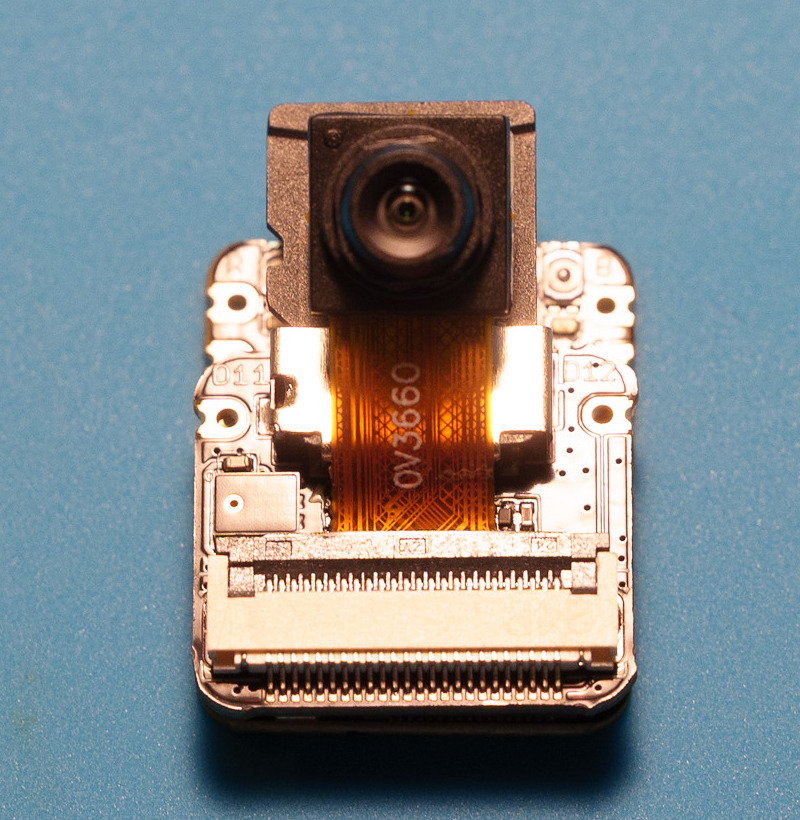
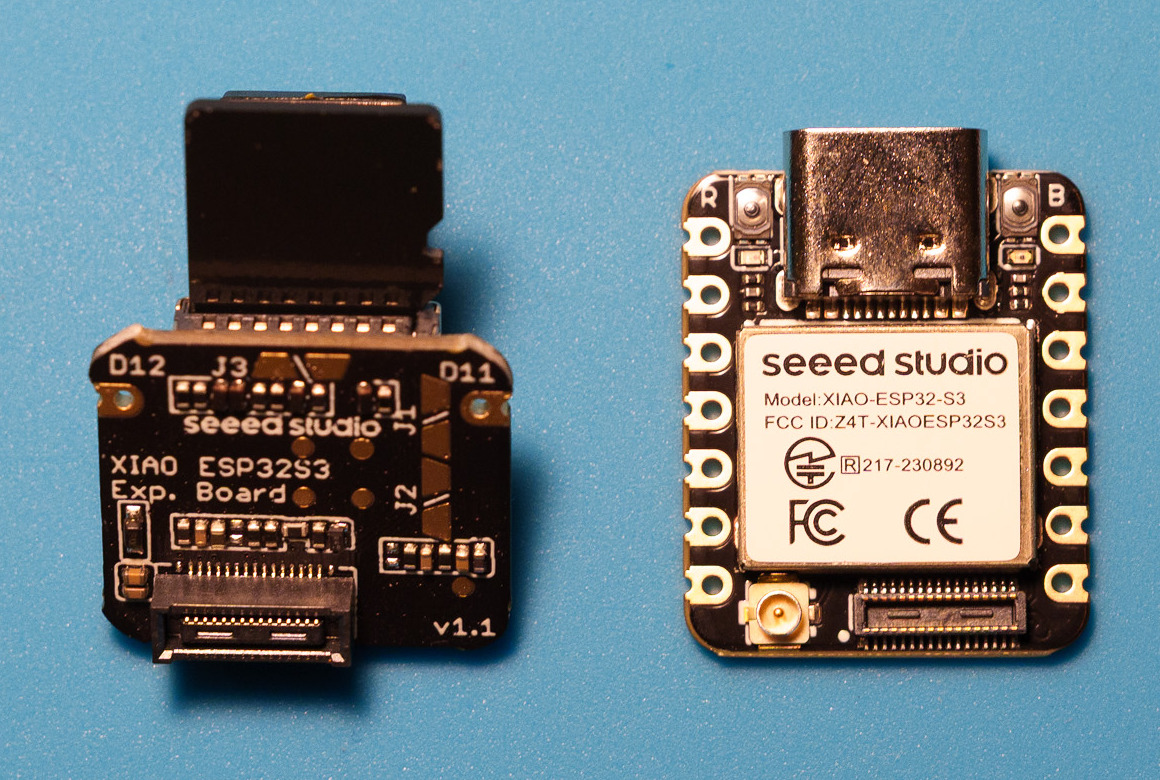
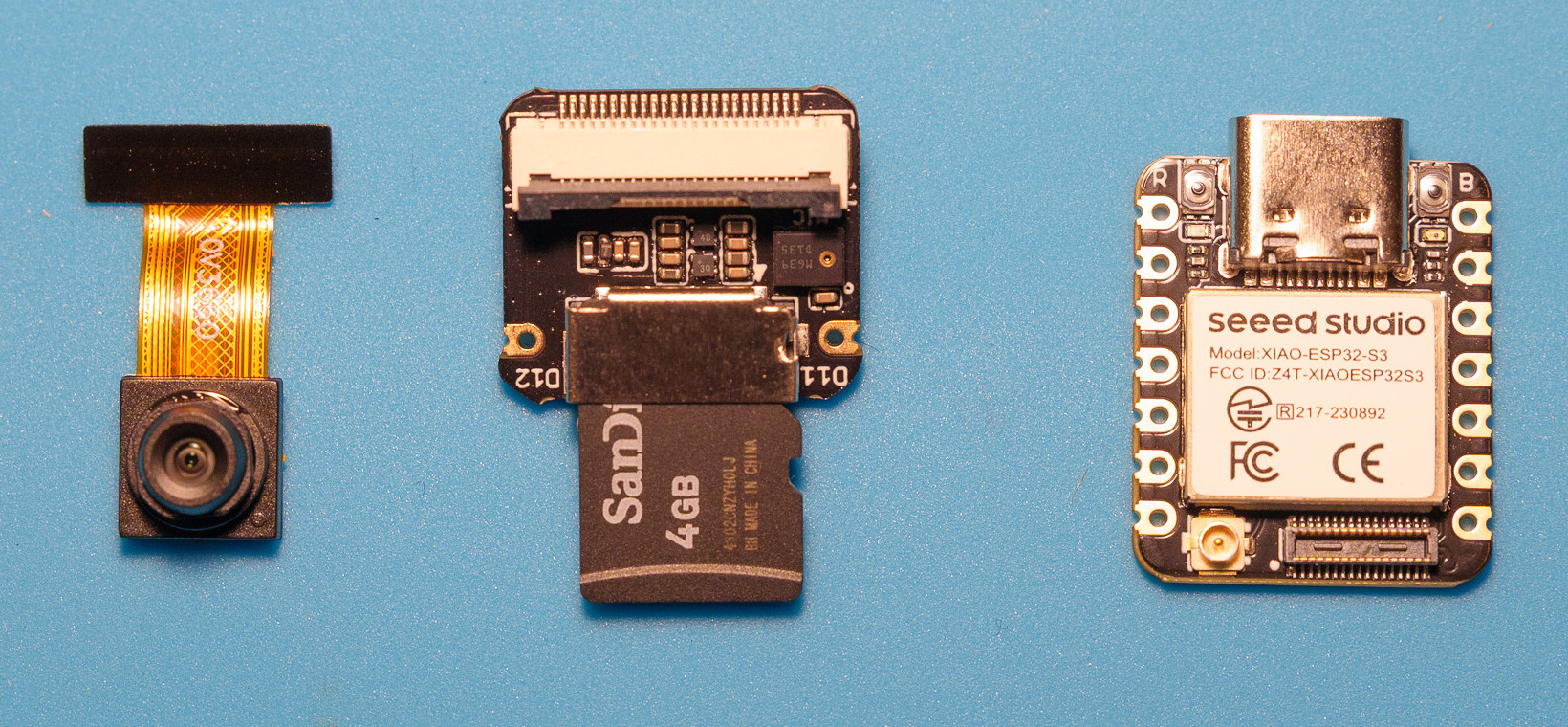
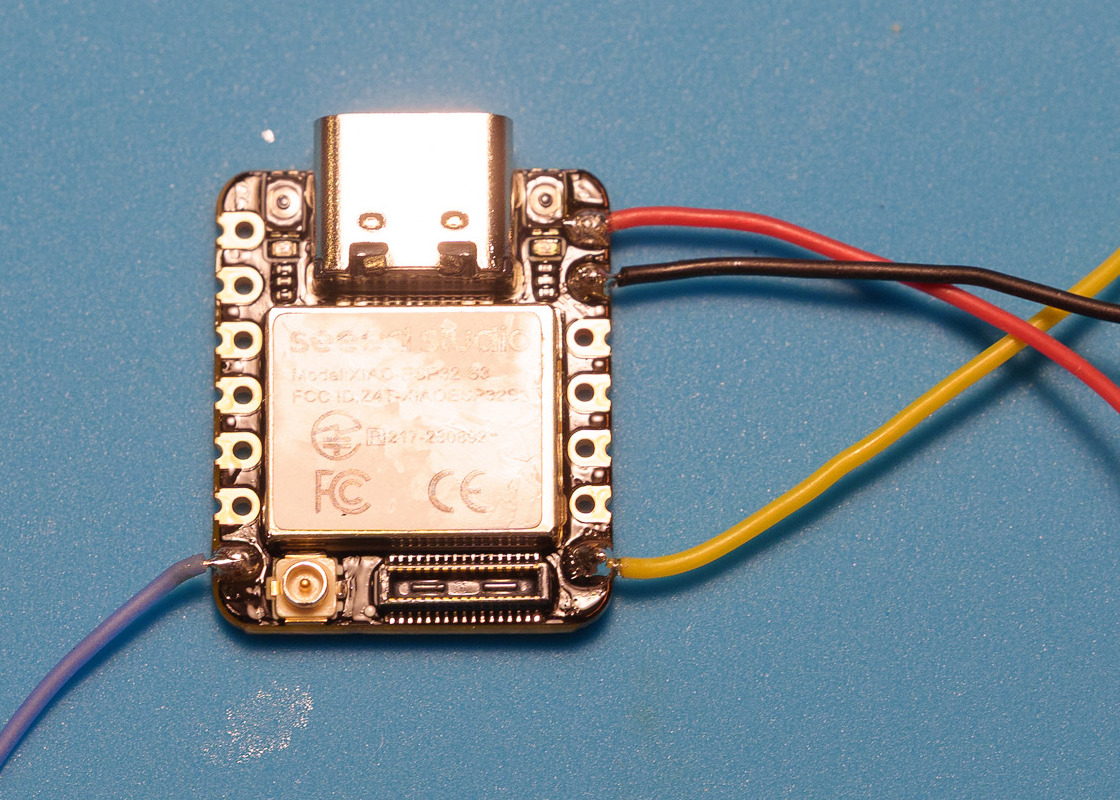
Seeed Studio XIAO ESP32S3 Sense with its microphone board, no separate battery. The camera has been removed to save weight. Power and arm state come from the Flywoo flight controller’s UART1 socket through its supplied harness and a diode.
The recorder reads Betaflight arm status and the clock over that UART (read-only) and never issues flight commands. Firmware v2 stores audio in the XIAO’s internal flash, so there’s no microSD card to fail or lose.
The board stack slides into the one-piece V7 case, which is taped to the frame. The case roof has a small grille over the microphone.
Build photographs
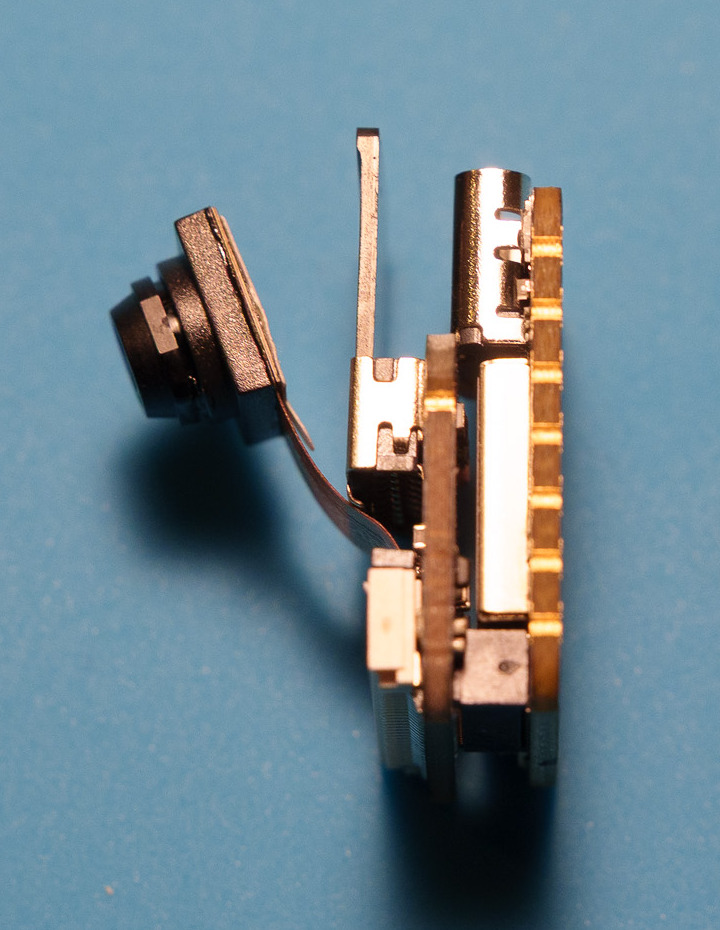
Real photographs of this prototype, cropped for a closer view. See the illustrated build guide for the sequence, wire colors and diode connection.
Progress
- Complete: microphone, microSD, USB transfer, and two-minute still-air bench recording.
- Complete: local Easy Eject flash, temperature display, and byte-matched WAV import.
- Complete: Flywoo UART1 harness and diode, props-off and hand-held arm/disarm recording (October 10).
- Complete: first outdoor flight recordings with the microSD firmware (October 13).
- Bench-tested: firmware v2, internal flash, USB drive, one timestamped WAV per flight, B-button format (October 18).
- Printed and mounted: V7 one-piece TPU case (October 18).
- Complete: firmware v2 and V7 real-flight milestone, with disarm endings, flight-controller timestamps and intact audio (October 22).
- Follow-up: finish USB startup/reconnect validation.
- Next: Easy Eject support for firmware v2.
Flywoo connector installation
The GOKU F405 SE 20A AIO has an unused UART1 five-position socket. A supplied plug with four wires can connect the recorder without soldering onto the flight controller. Recorder pad wires, cable splices and an inline Schottky diode still require soldering.
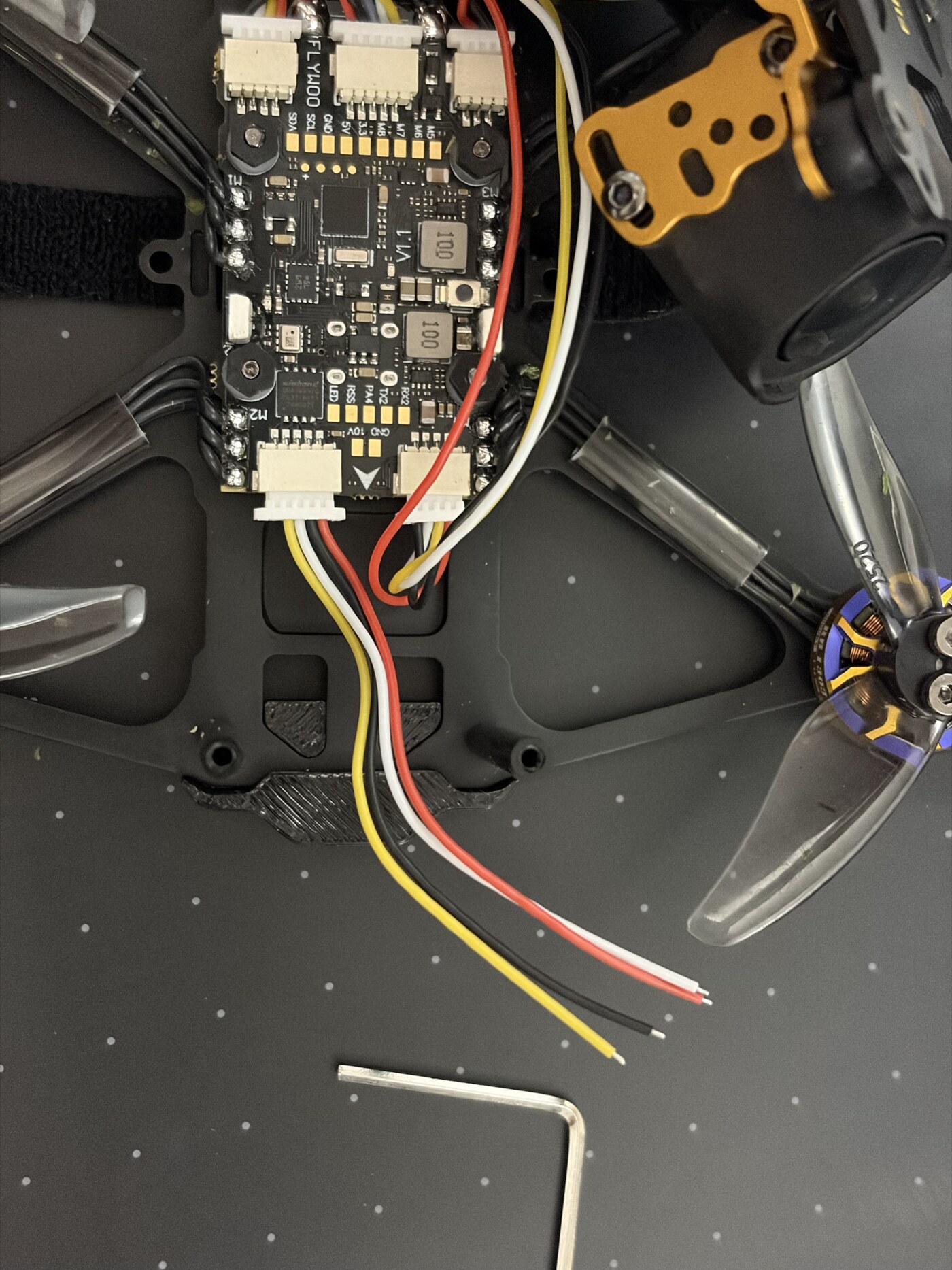
The recorder was powered through the harness and diode for flight-controller-triggered recording. See the wire mapping, official diagram and installation notes.
Firmware v2: the recorder as a USB drive
Flown in the V7 case on 2026-10-22. Firmware v2 records to the XIAO’s own 8 MB flash instead of microSD.
- Plug it into a computer and it appears as a read-only USB drive called
FPVAUDIO, with one WAV per flight,FLIGHTS.CSVand aREADME.TXT. - Files are named by the flight controller’s clock, for example
FPV_20261018173825_P0005_F01.WAV, and carry a Broadcast WAV time reference so editors can place them by time of day. - About 30 minutes fit. When it’s full, the oldest audio is overwritten.
- To erase everything, hold the button marked B for about 10 seconds while steadying the USB plug. The LED blinks, blinks faster, then gives three long flashes.
- Host tools download over USB serial and line the audio up with DJI O4 Pro clips.
Download firmware v2 · Source, install steps and test results
Printable recorder case: V7 sleeve
A one-piece TPU sleeve, 23.76 × 20.68 × 11.18 mm and 2.15 g. The board stack slides in from the open back and clicks over a small floor detent, with no lid and no glue. The roof has a mic grille and holes for the B and R buttons, and the flat underside takes mounting tape. Print it standing, USB face down, as saved, and dry the TPU first to avoid stringing.
Flown with firmware v2 on 2026-10-22. Printed, fitted and mounted on the drone.
Download the V7 case · Editable source, dimensions, and print notes
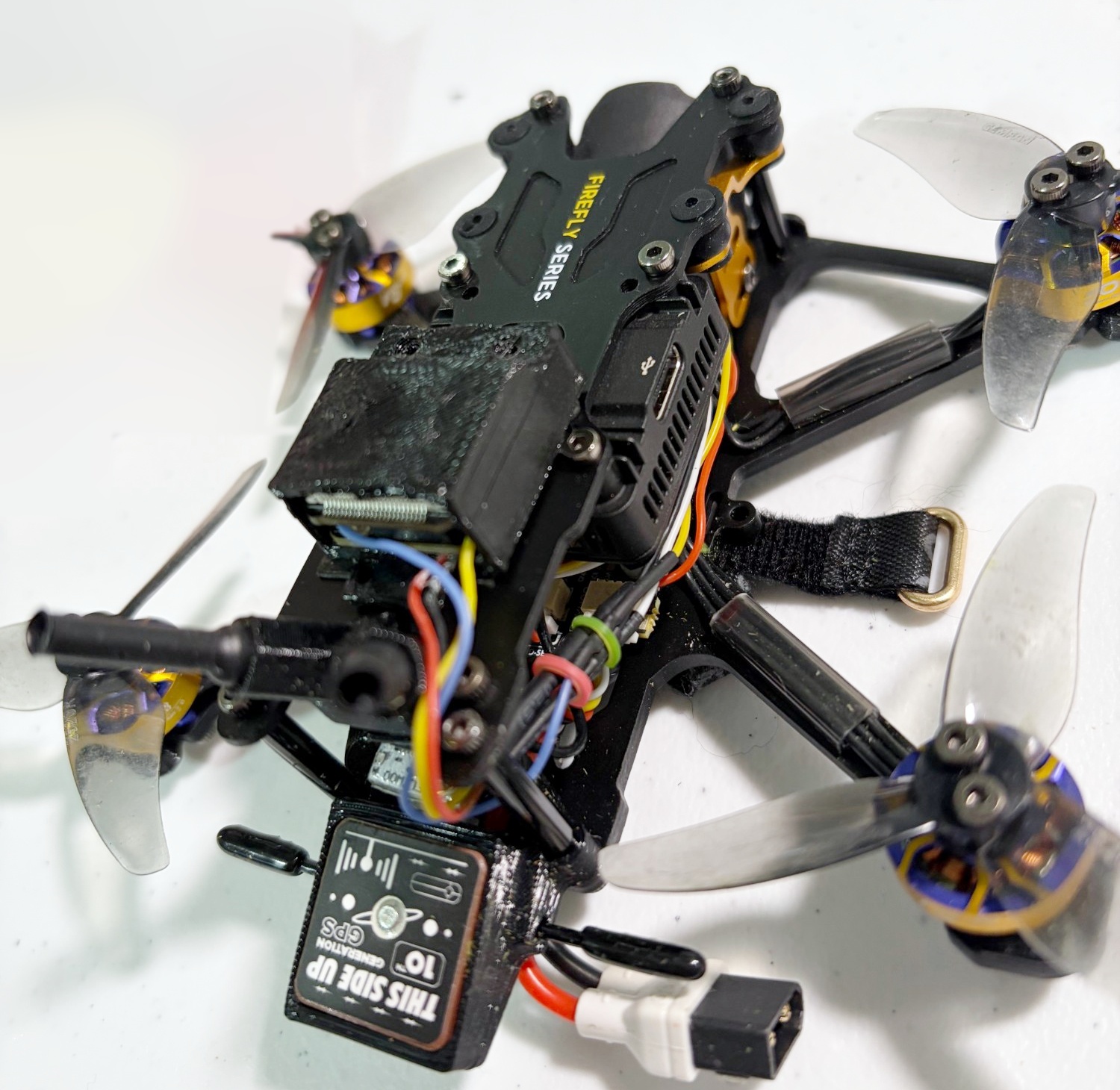
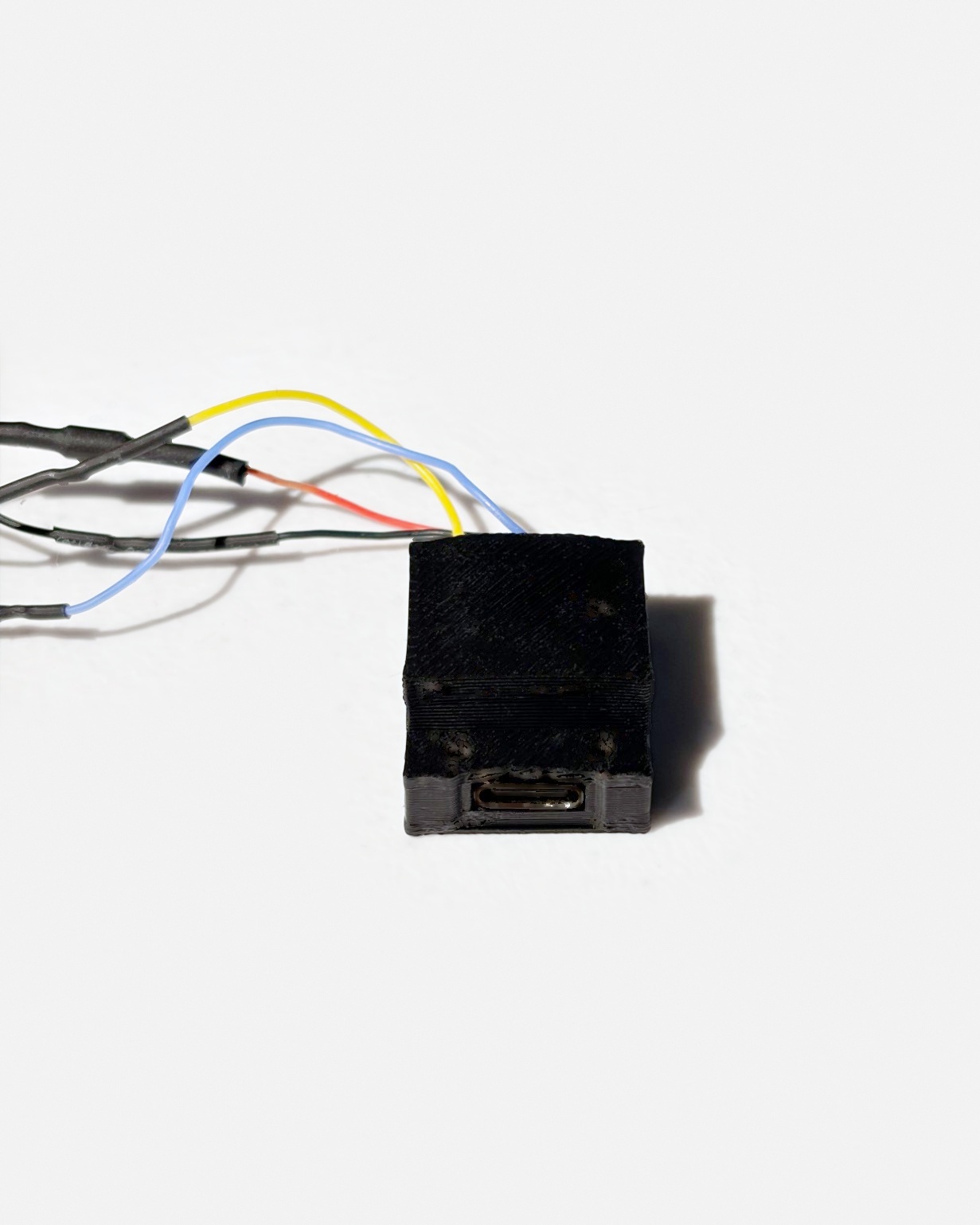
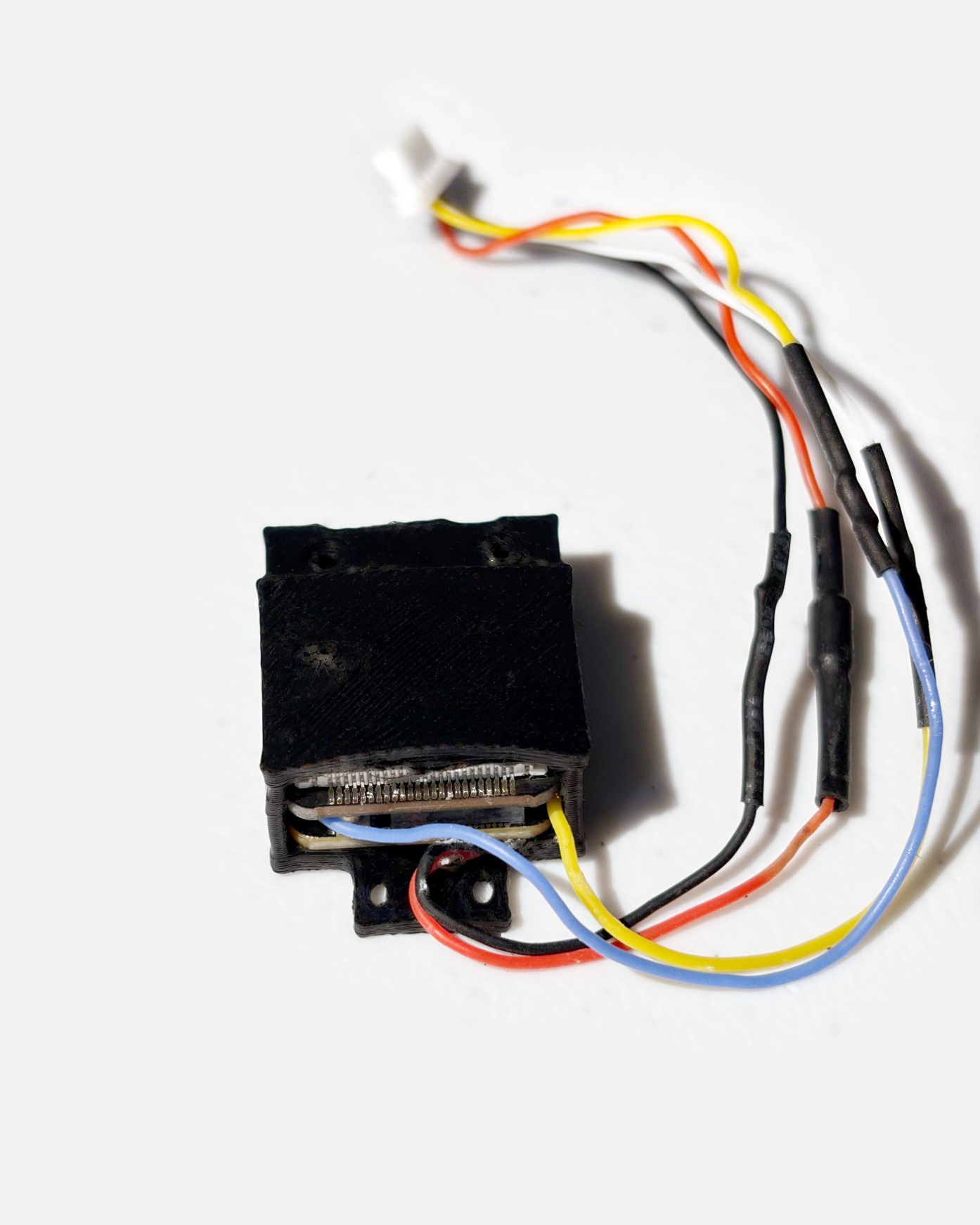
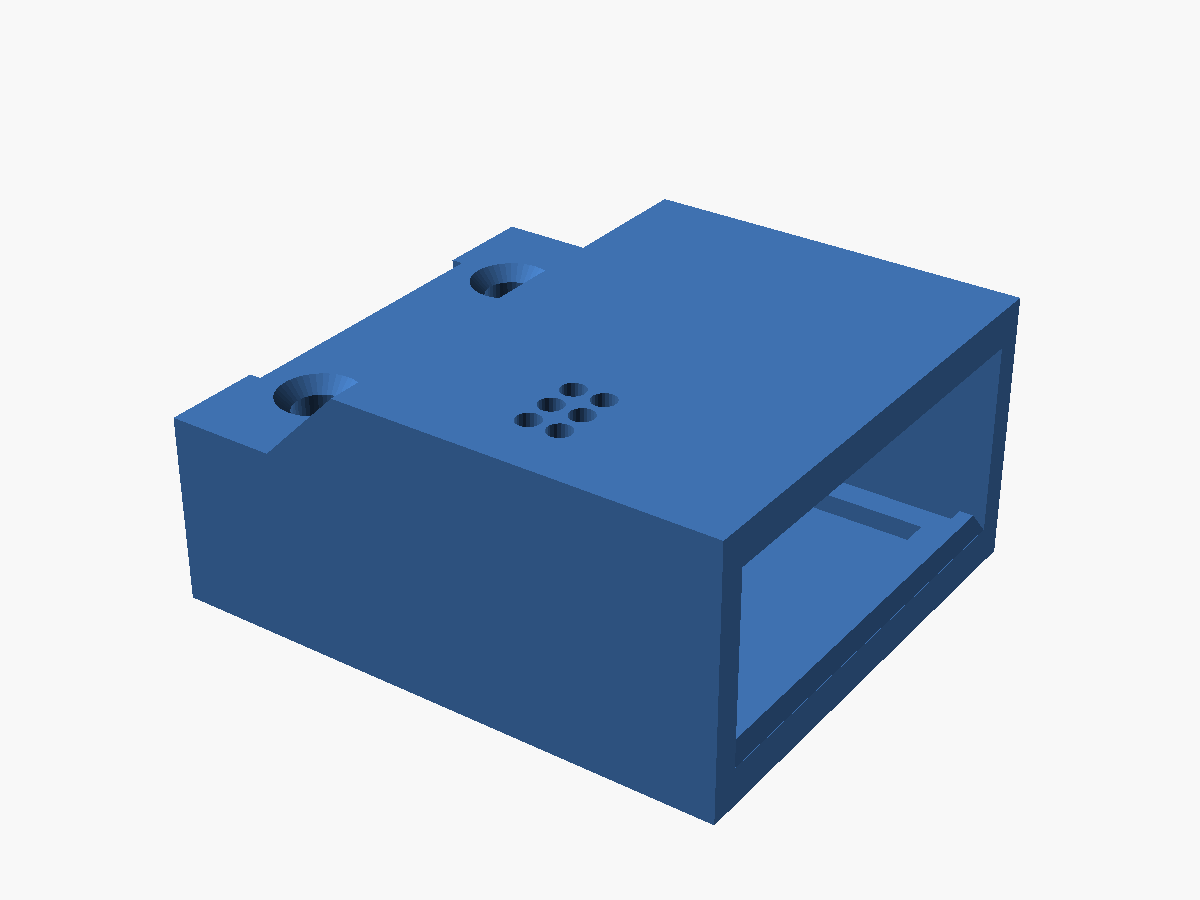
I'm new to 3D printing, so there's probably a better way to design this case. If you come up with a different or improved design, please submit a pull request! Ideas, photos, and printable files are welcome through GitHub issues too.
Previous case: the V6.5 two-piece case with microSD access (source and notes), for builds that still use the card.
Operating note
Give the powered quad airflow whenever it sits still, including while connected to a computer. Bench chip temperatures (about 40°C with firmware v2 on USB, no airflow) are observations, not a flight-temperature or long-idle rating.